
Google Search Console MCP Server
Connect Claude, ChatGPT, and other AI tools to Google Search Console


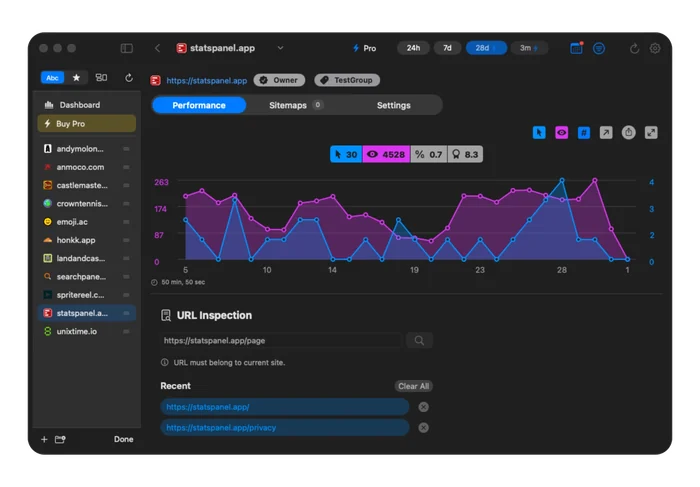
Google Search Console MCP for Mac
Search Panel gives Mac users a read-only MCP interface for working with Google Search Console data in AI tools that support Model Context Protocol, such as Claude Code or OpenAI Codex. List properties and query clicks, impressions, average position, search performance, sitemaps and URL inspection data from your Mac.
Use Search Console Data in AI Tools
Use Search Panel MCP to ask natural language questions about your Search Console properties, compare date ranges, find winning and losing pages, review queries, inspect specific URLs and check sitemap status.
How to Use Search Console MCP for SEO
Connect Search Panel MCP to a compatible AI tool, choose a Search Console property, then ask for SEO reports, page comparisons, query opportunities, sitemap checks or URL inspection summaries.
How to Set Up Search Console MCP
- Install Search Panel on your Mac.
- Sign in with the Google account that has access to your Search Console properties.
- Unlock MCP with an active subscription or lifetime purchase.
- In Settings, open the MCP tab and enable the MCP server.
- Connect Search Panel MCP in an AI tool that supports Model Context Protocol, such as Claude Code or OpenAI Codex.
- Ask questions about properties, clicks, impressions, queries, pages, sitemaps or URL inspection.
You may need to start a new chat or restart Claude Code, OpenAI Codex, or your MCP-capable app after adding the MCP server before Search Console data is available.
Search Panel MCP requires an active subscription or lifetime purchase.
AI SEO with MCP
An SEO MCP makes Search Console data available to AI tools, so you can investigate average position changes, find pages losing clicks, spot queries with high impressions and low CTR, and turn Search Console data into content ideas.
MCP Features
- List Search Console properties and permission levels
- Query clicks, impressions, CTR and average position
- Compare current and previous performance periods
- Find winning and losing pages, queries, countries or devices
- Group analytics by date, hour, page, query, country, device or search appearance
- Filter analytics by page, query, country, device or search appearance
- Use web, image, video, news, Google News and Discover search types where available
- Review submitted sitemaps
- Inspect individual URLs with Google Search Console data
- Use built-in prompts for SEO audits, period comparisons and page inspection
SEO MCP Use Cases
- Find pages that gained or lost organic clicks
- Compare average position before and after a site change
- Identify high-impression queries that need better titles
- Check whether important pages are indexed
- Review sitemap status before publishing new content
FAQ
Is there a Google Search Console MCP?
Search Panel provides a Google Search Console MCP for using Search Console properties, performance data, sitemaps and URL inspection in MCP-capable AI tools.
How do I use Google Search Console MCP for SEO?
Use Search Panel MCP with a compatible AI tool, then ask it to compare Search Console periods, find winning and losing pages, review queries, inspect URLs or summarize sitemap status.
How can I use AI for SEO with MCP?
You can use AI with MCP to analyze Search Console data, explain traffic changes, find keyword opportunities, generate SEO reports and plan content updates from real search performance data.
Is there a Google Search Console MCP server for Mac?
Search Panel MCP is built for Mac and provides an MCP interface for Google Search Console data including properties, clicks, impressions, queries, pages, search appearance, sitemaps and URL inspection.